Federated Data Scripts provide a way to discover, analyse, and integrate relationships that span across multiple Definitions or database sources. They are used when your data model is distributed across several systems, applications, or schemas and you need a unified understanding of how they relate.
This feature sits within the Data Discovery capabilities of the Curiosity Platform and extends Relationship Mapping beyond single-definition structures.
What Federated Data Scripts Do
Federated Data Scripts allow you to:
Compare two or more Definition Versions
Identify cross-definition foreign keys
Generate a combined representation of structural relationships
Validate relationships against live database metadata
Apply newly discovered relationships back into the platform
Produce enriched Definition
Versions with complete relationship information
This is essential for organisations that manage data across microservices, multiple databases, hybrid legacy environments, or large enterprise applications where relationships are not fully documented.
1. Create a Federated Discovery Activity
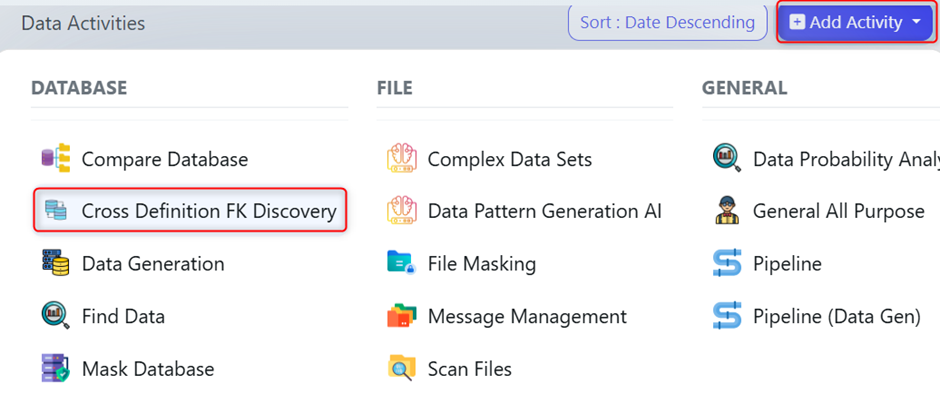
To begin, create a Cross Definition FK Discovery activity. This provides the workspace for comparing definitions and running federated analysis.
You will use this activity to attach Definition Versions, connections, and run the analysis operations.
2. Attach Definitions and Database Connection
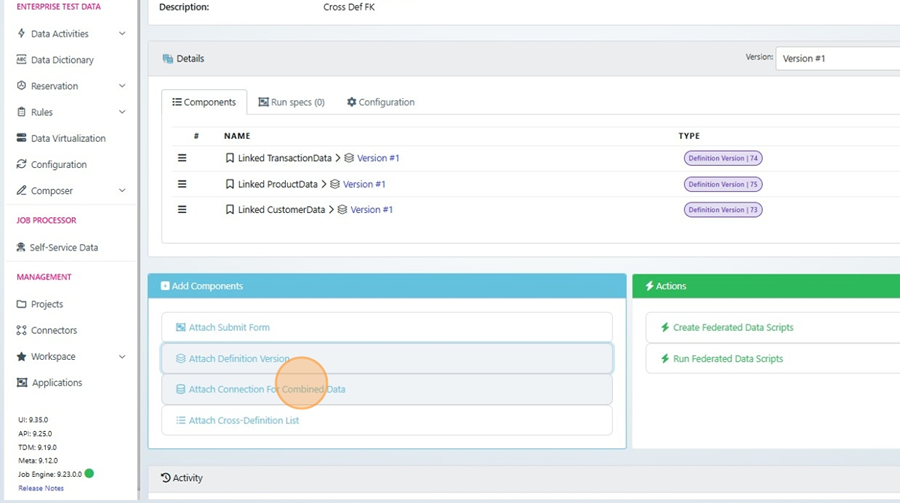
Federated analysis requires at least two Definition Versions. These represent the structures you want to compare.
You must also attach a Connection for Combined Data (This must be Postgres, you can use the Micro DB), which enables the platform to execute federated discovery queries and validate metadata.
Once added, the activity now contains everything needed to generate scripts that analyse relationships across sources.
3. Generate Federated Data Scripts
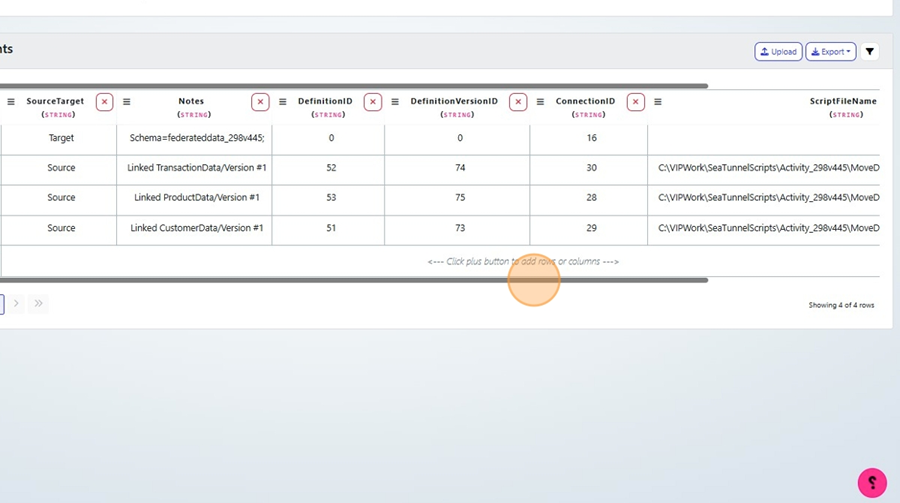
Select Create Federated Data Scripts to generate:
The federated SQL scripts
A “controlling list” that defines how the selected Definitions will be compared
These outputs describe the structural links the platform will evaluate and form the basis of the entire federated discovery process.

4. Execute the Federated Scripts
Run Execute Federated Data Scripts to apply the scripts using the attached connection. This step produces a new Definition Version that consolidates discovered relationships.
The resulting Definition Version reflects the combined structure from the definitions involved, giving you a single place to inspect shared or related elements.


5. Discover Potential New Relationships
Next, run Look for Potential New Relationships to detect additional foreign keys or links not included in the original definitions.
The results are output in a CSV file, which lists all suggested relationships across definitions.


You may also run Database Validation, which provides a second CSV containing validation findings from the live database.

6. Apply Federated Relationships
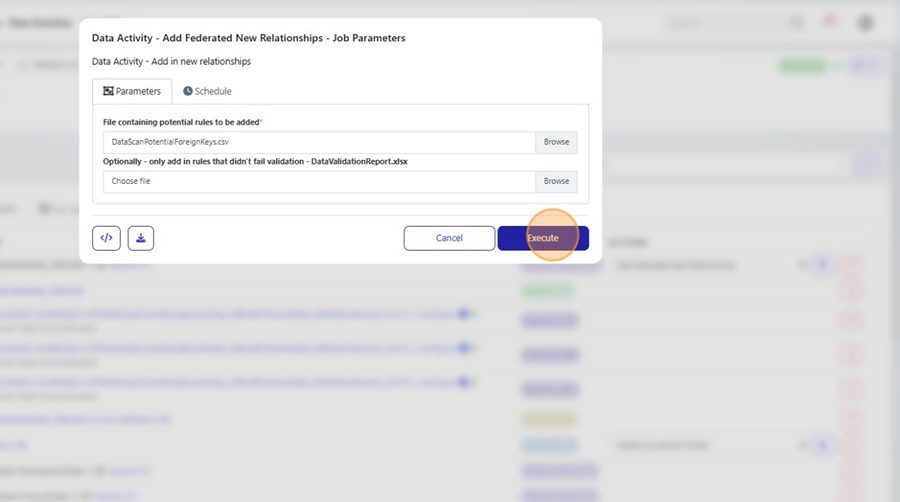
Use Add Federated New Relationships to import the CSV results back into the platform.
Upload:
The CSV produced by the discovery process
(Optional) The validation CSV
The platform updates your Definitions to include these newly found cross-definition relationships.

7. Review Updated Definitions
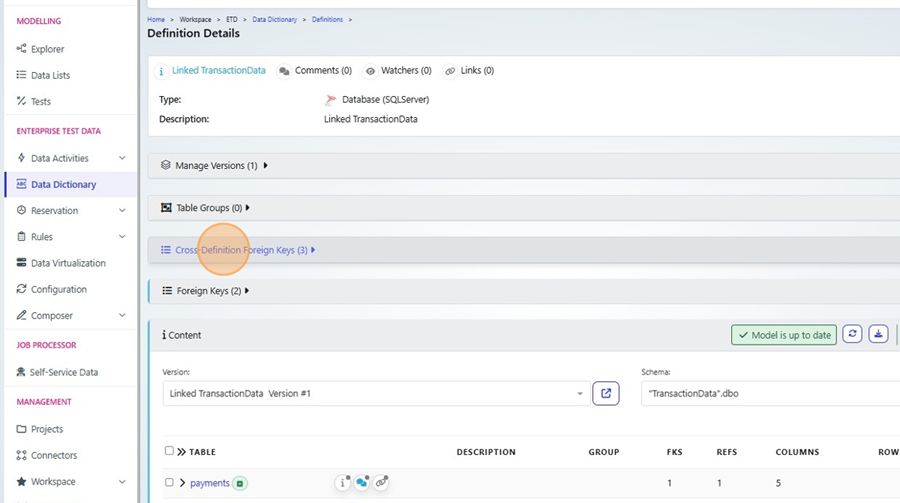
Open any affected Definition Version in the Data Dictionary. You will now see additional Cross-Definition Foreign Keys, representing the combined or newly discovered relationships.
These enhanced definitions can now be used in our other Cross-Definition activities.
Federated Data Scripts give you the ability to analyse relationships across multiple systems and integrate them into your structural metadata. This ensures more complete relationship mapping, better referential integrity during test data generation, and deeper understanding of how your distributed systems connect.