Quality Modeller is framework-agnostic, it generates automated test scripts in whatever language and tooling your team already uses. This page covers how to configure Quality Modeller to work specifically with Playwright, so that models you build in Quality Modeller produce Playwright test scripts ready to run against your application.
This configuration involves telling Quality Modeller what Playwright test code should look like via code templates. Once this is in place, testers can build and update models without touching the underlying code. Quality Modeller handles generating and synchronising the Playwright scripts automatically.
Please view the introduction to code templates here to have the full breakdown of the functionality of Code templates and initial setup.
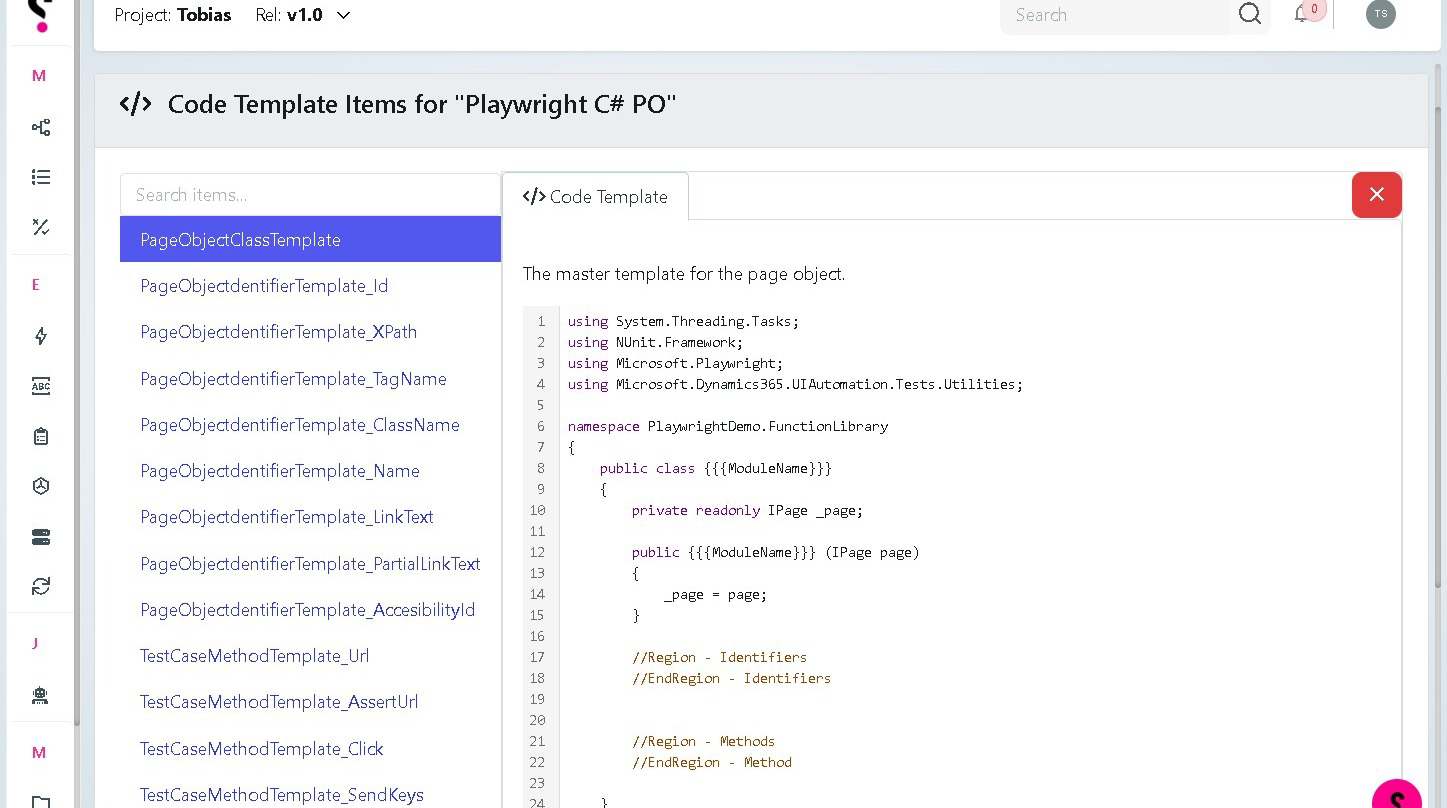
PageObjectClassTemplate showcasing the master template for Playwright C#
1
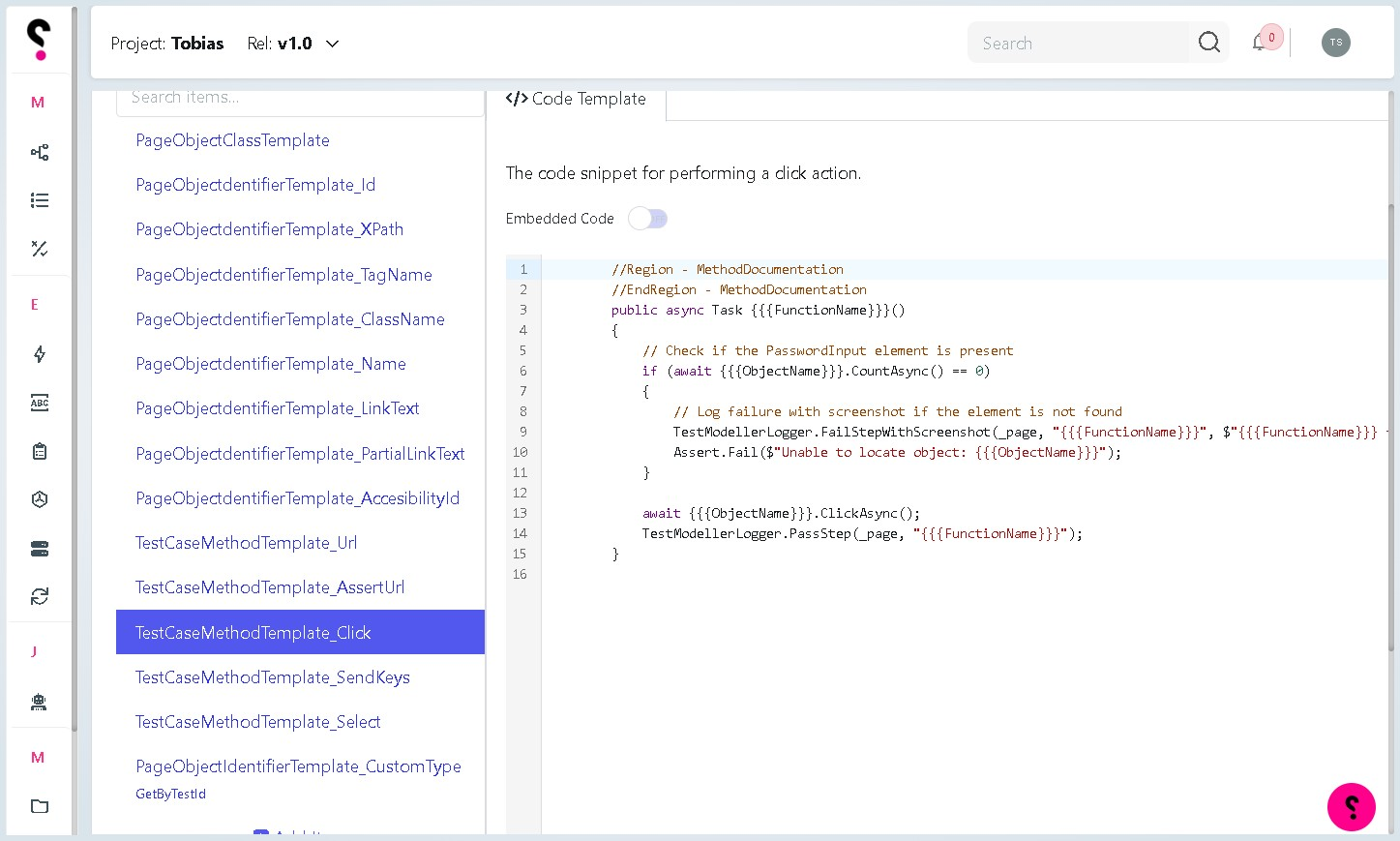
Test Case method Click within Playwright, in which contains the keyword ClickAsync()
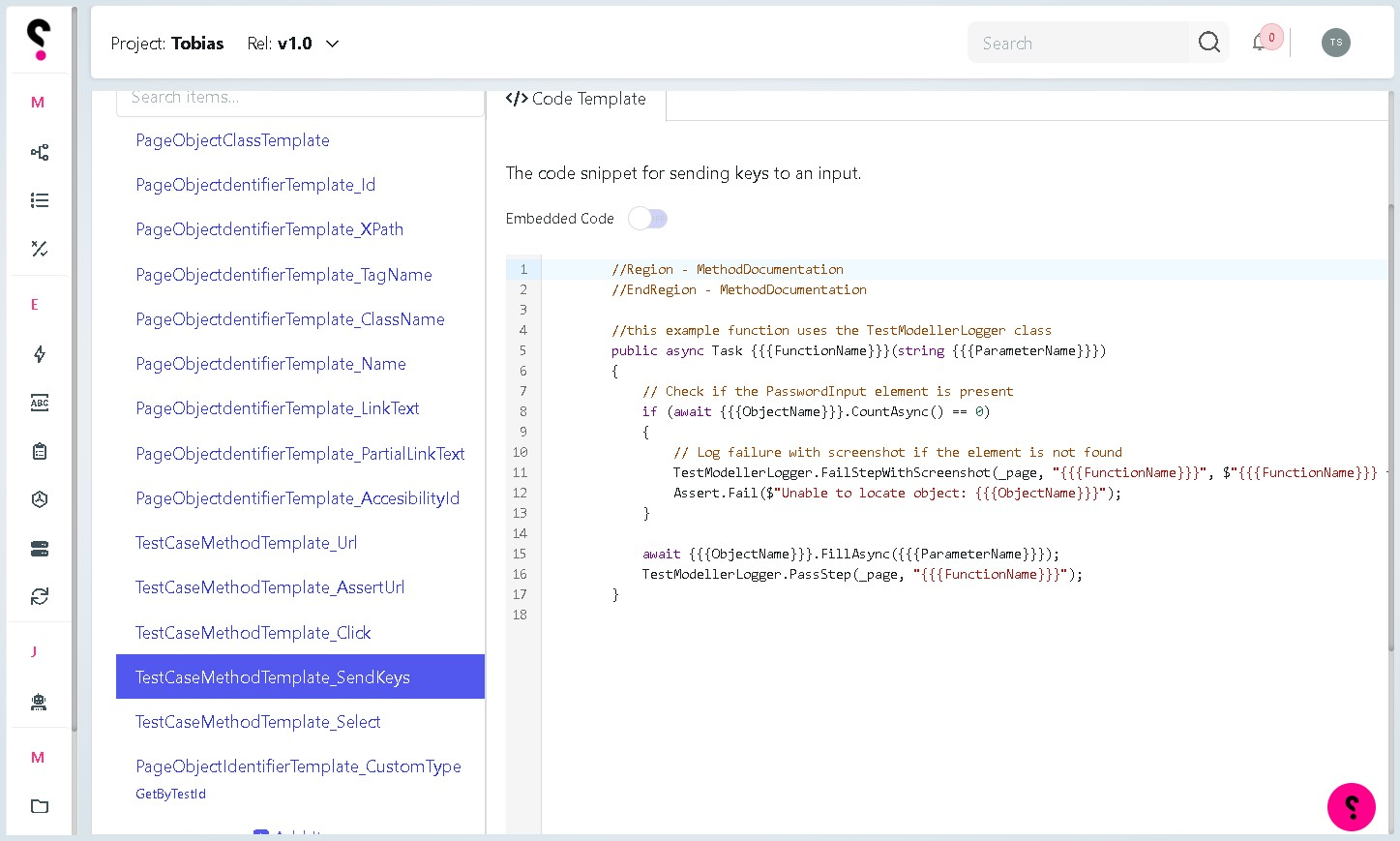
Test Case method SendKeys within Playwright, in which contains the keyword FillAsync()
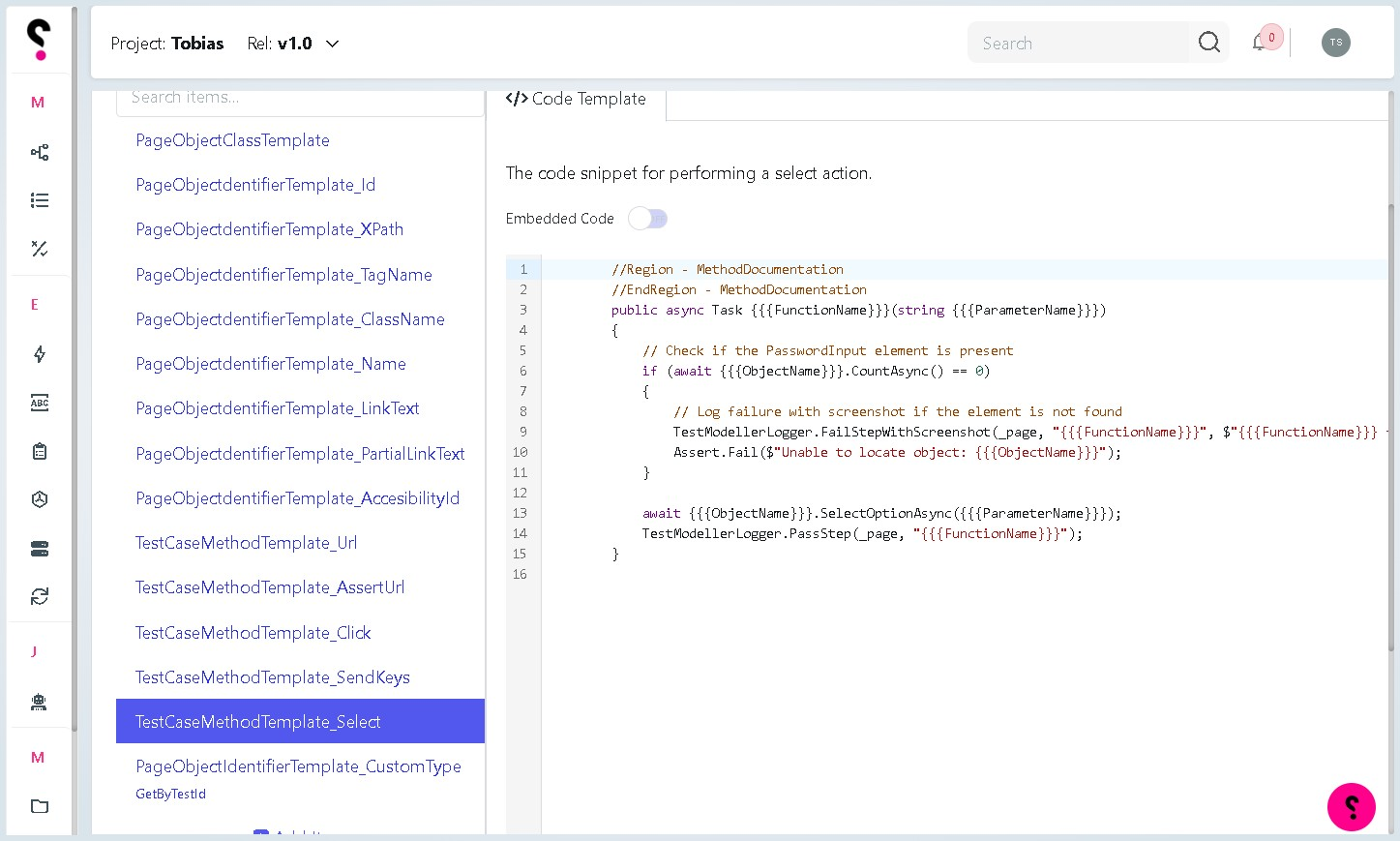
Test Case method Select within Playwright, in which contains the keyword SelectOptionsAsync() - handling a dropdown on a web page
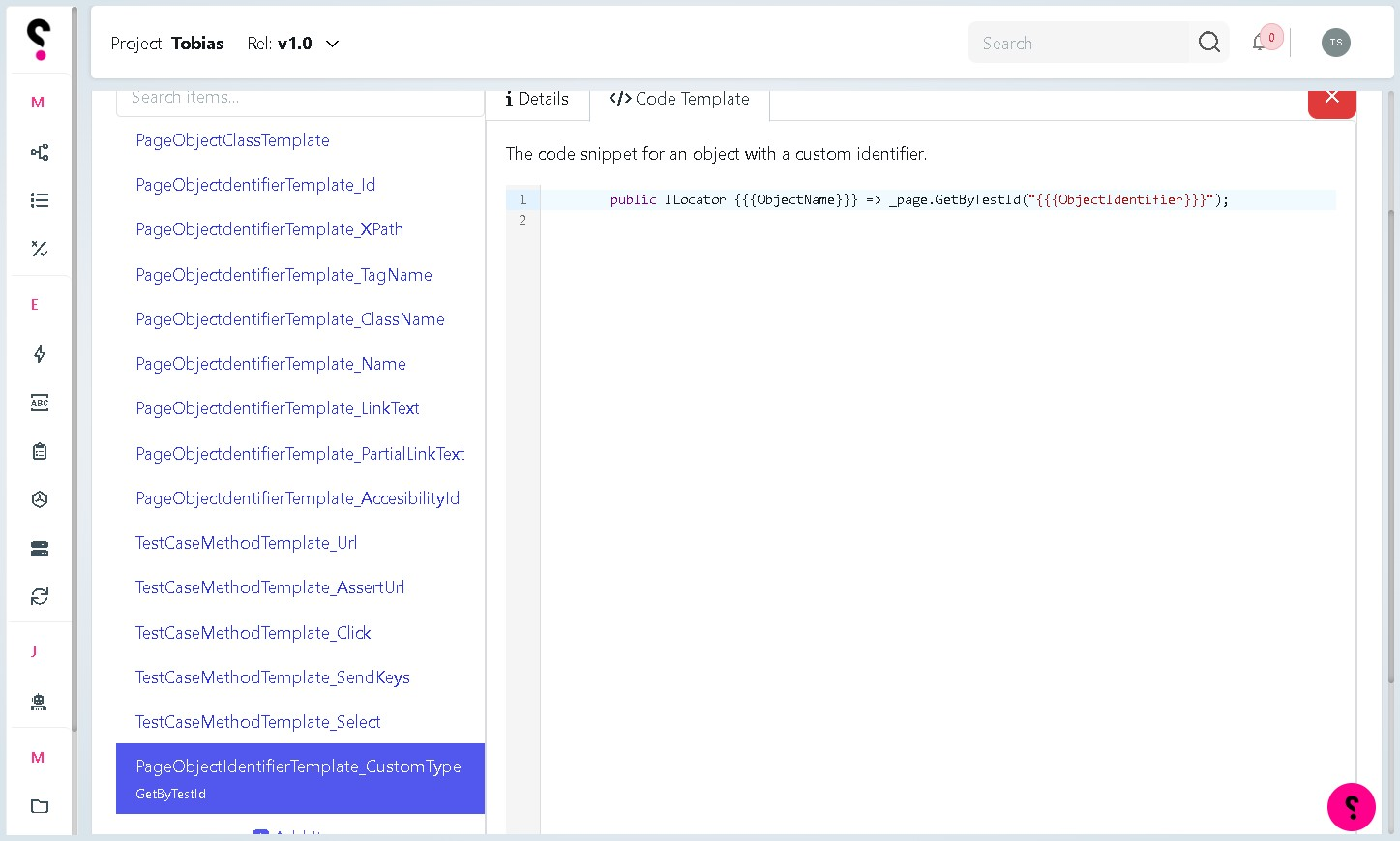
PageObjectIdentifier to handle the Playwright GetByTestId() Locator
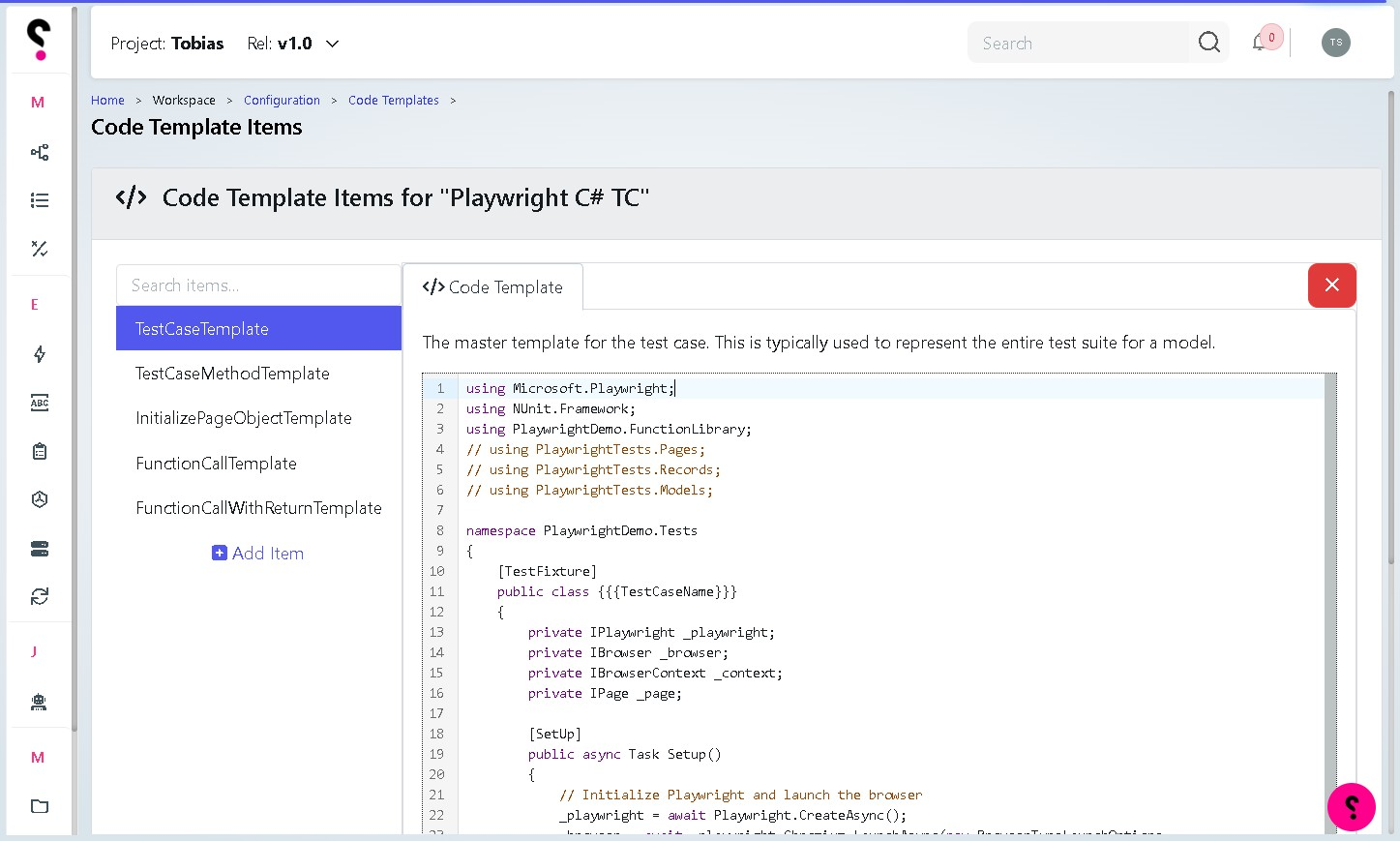
Master template for Test cases in Playwright to represent the entire test suite for a particular model
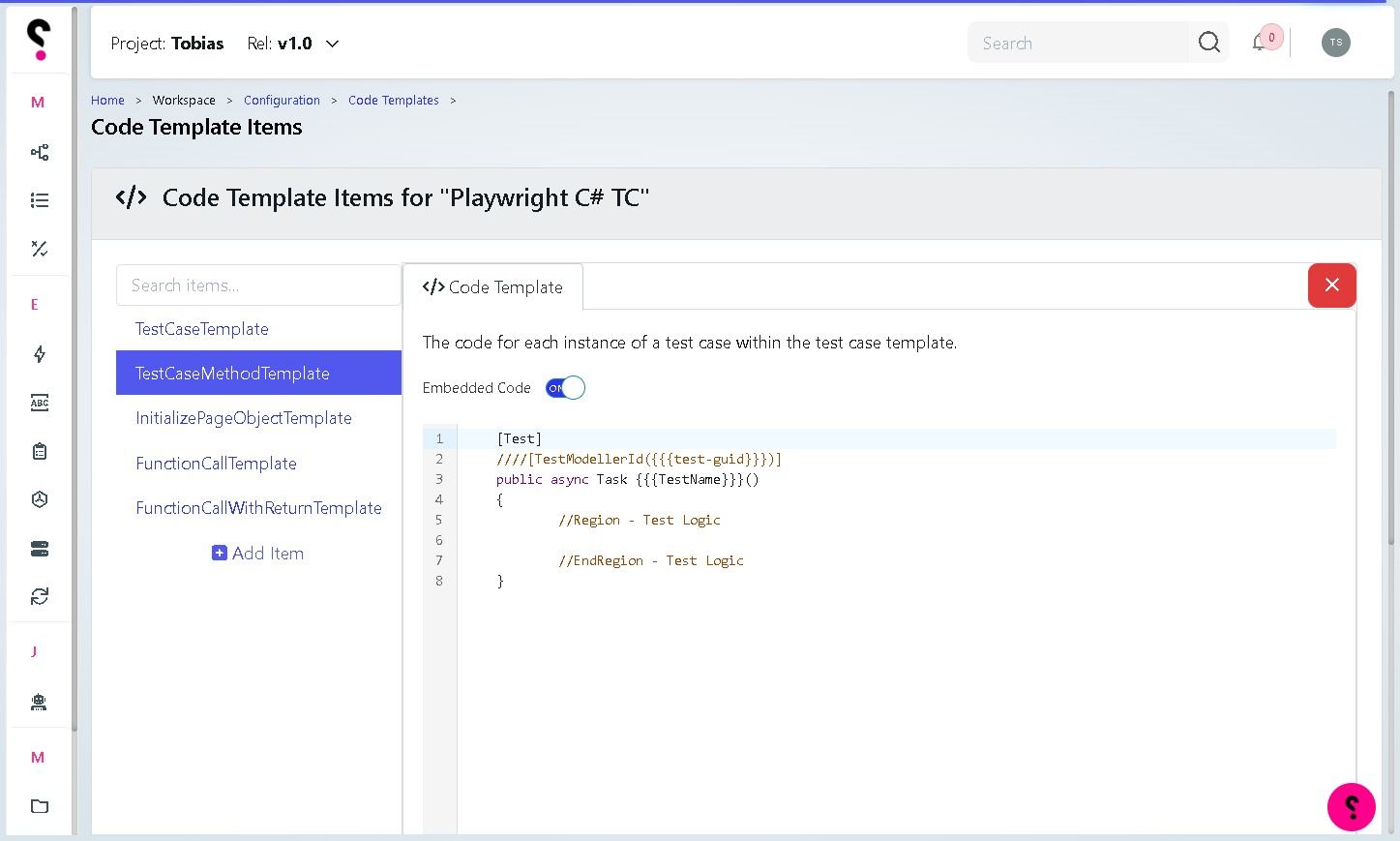
TestCaseMethodTemplate to handle a typical Test within Playwright C#
To download an initial setup of PageObjects and Test Cases specifically for Playwright, you can download and import them into your workspace: -
In Configuration, Scroll down to Code Templates, you will see the following options, select Import - the option appears to then allow you to import the files into your project