This guide explains how to execute an embedded job programmatically using Java. By integrating the Job Engine SDK into your own codebase, you can automate job submission, pass parameters dynamically, and retrieve output files directly within your application.
Overview
The Java example below demonstrates how to:
Configure a connection profile
Construct a job definition
Provide automation parameters
Execute the job
Download the resulting output
This approach allows you to run automation jobs without using the UI, enabling seamless integration into backend services, schedulers, CI/CD pipelines, or custom applications.
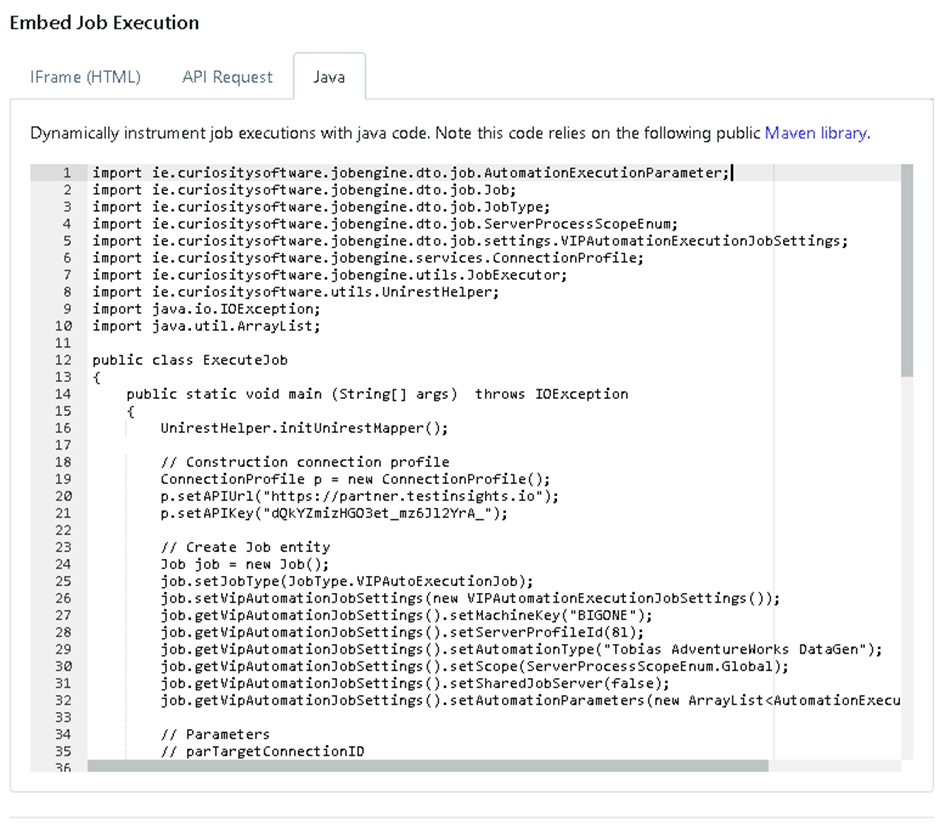
Code Sections
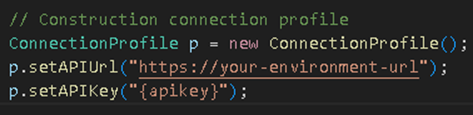
1. Connection Profile
This object holds the base URL of your environment and the API key used for authentication.
These values would be replaced with your own values from the java code generated:
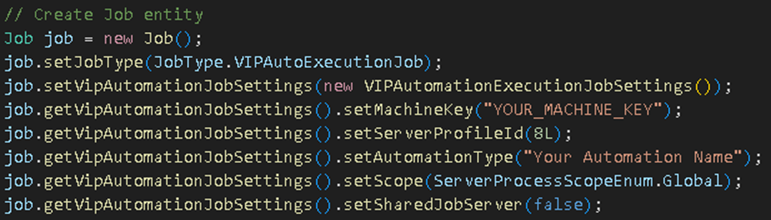
2. Job & Automation Settings
A Job instance is used to define the execution type, server profile, machine, and parameters. These parameter settings specify how and where the automation runs.
3. Automation Parameters
Most automation jobs require parameters to be passed at runtime. These correspond to the parameters defined in your automation configuration.
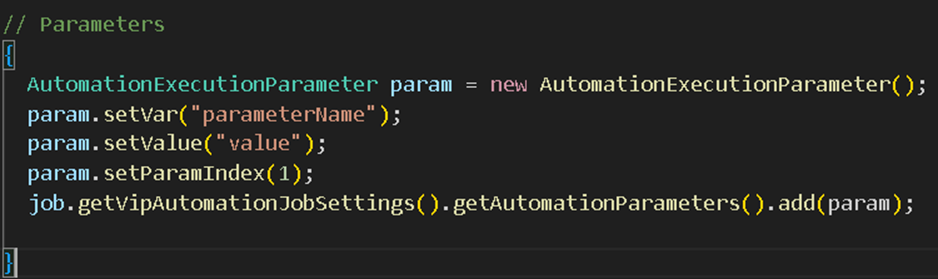
This can be customised for each parameter your job requires, but by default are populated from the job window.
4. Executing the Job
The JobExecutor class submits the job, waits for it to complete, and downloads the output.
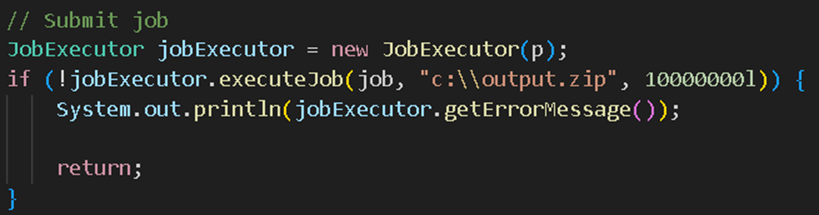
Parameters:
job – The job definition you created
output.zip – The file path where results will be saved
timeout – Maximum wait time in milliseconds
If the job fails, the error message is printed to the console. The directory for the output can be customised to suit the needs of your codebase setup.
Integrating Into Your Codebase
You can embed this Java execution logic into:
Microservices that trigger automated workflows
CI/CD systems that generate test data during deployment
Embedding job execution via Java provides a direct and automated way to run automation jobs within your systems. By defining jobs programmatically and controlling parameters dynamically, you can seamlessly integrate data generation, test execution, and automation workflows into your existing applications.